
PREREQUISITES
Contact item exists in Rightsline
Contact Template is External Company, PBS Station, or PBS Production Station Group.
**Note: It is possible to add Call Letters when creating a contact (Step 3) or editing a contact (Step 3-1).
| STEP | ACTION |
| 1. | Navigate to https://app.rightsline.com/ |
| 2. | Click Contacts.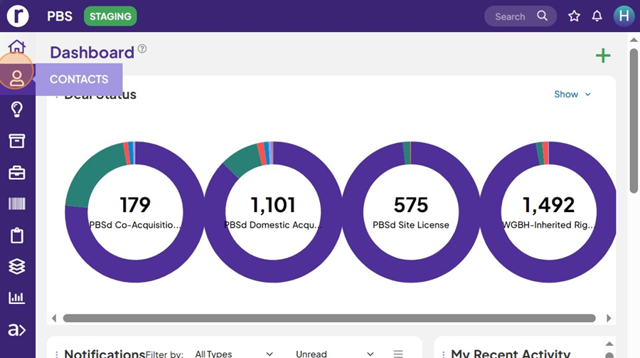 |
For adding multiple call letters while creating a new contact, use steps below. | |
| 3. | Click "Create New Contact Record".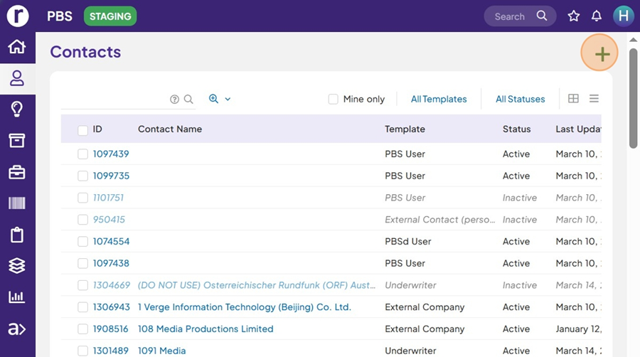 |
| 4. | Click "External Company," "PBS Station," or "PBS Station Production Group".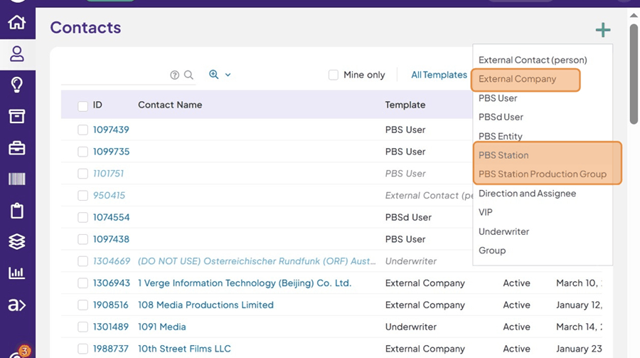 |
| 5. | Click Call Letters field.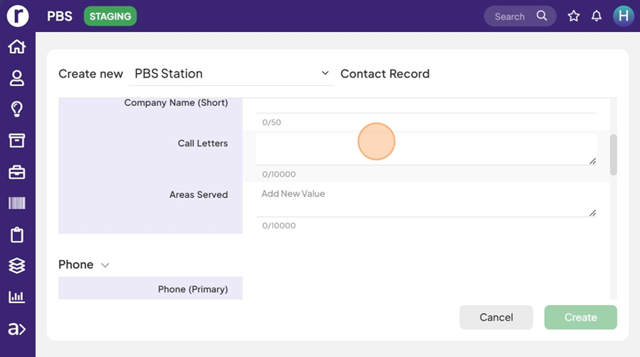 |
| 6. | Type Call Letters separated by comma. For example: "ABCD, WWWW, WYCF" |
| 7. | Fill out the rest of the required fields and Click "Create".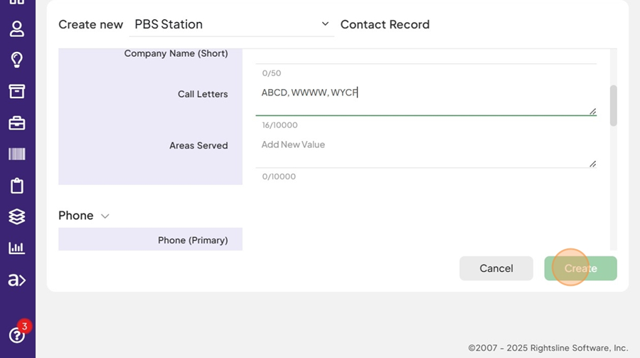 |
| For adding multiple call letters while editing a contact, use the steps below. | |
| 3-1.a | Search for and Open a contact that needs update.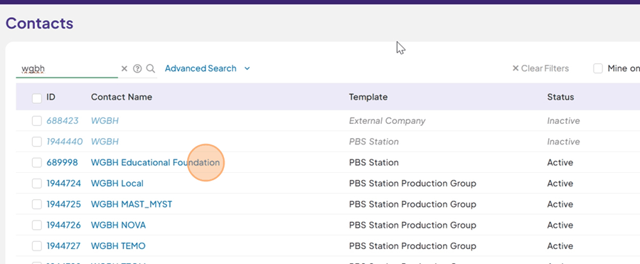 |
| 3-1.b | Click "Edit Details" icon.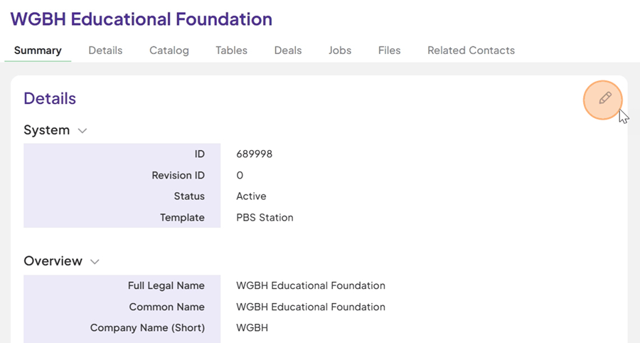 |
| 3-1.c | Click "Call Letters' field.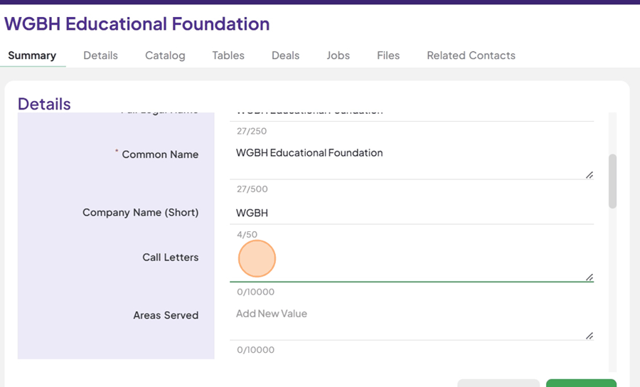 |
| 3-1.d | Type Call Letters separated by comma.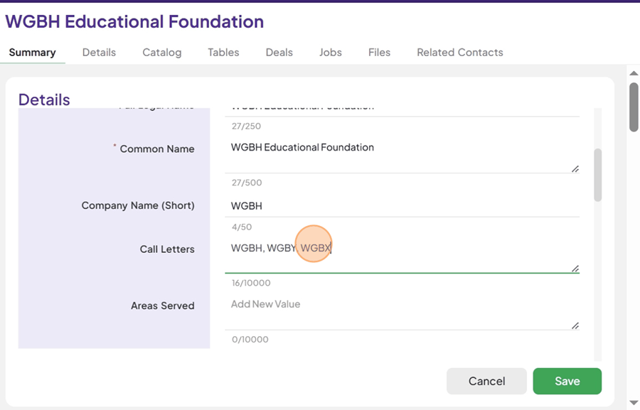 |
| 3-1.e | Click “Save”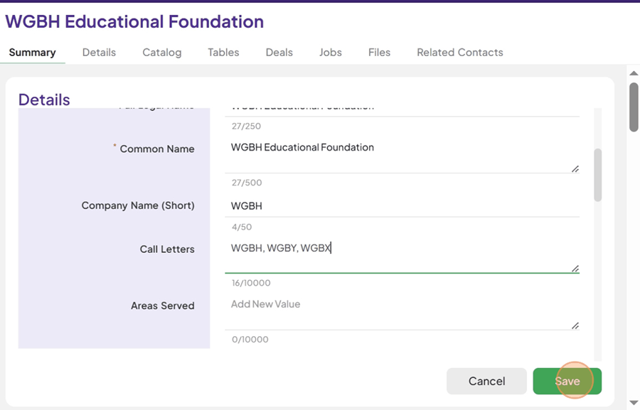 |
| 3-1.f | Now Multiple Call Letters are saved.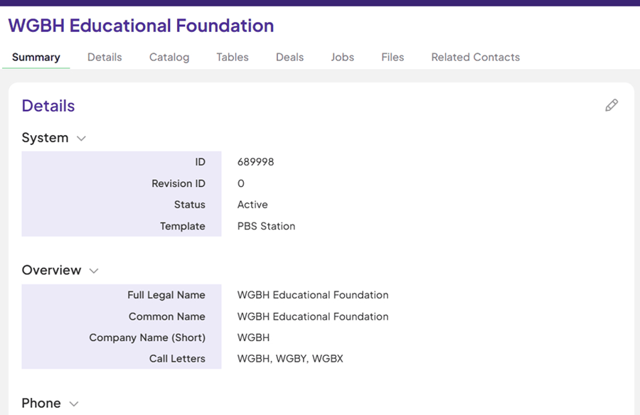 |