
Prerequisites:
- Deal information is entered in Rightsline.
- Series,es , season, episodeisode already exist in Rightsline ,mbank and bv.
- Series,es , season, episode have enterprise metadata uid field populated.
- Episodes have pbs traffic id poppopulated.ted .
- Get details from program ops which episodes should combine in a stacked episode.
On how to create new deal , series and season please check this article - Rightsline: How to create new PBS License deal and episodes in Rightsline : PBS Software Development
How to create a stacked episode in Rightsline:
Step/Action | Result |
| 1. Go to Rightsline - Catalog Items. | 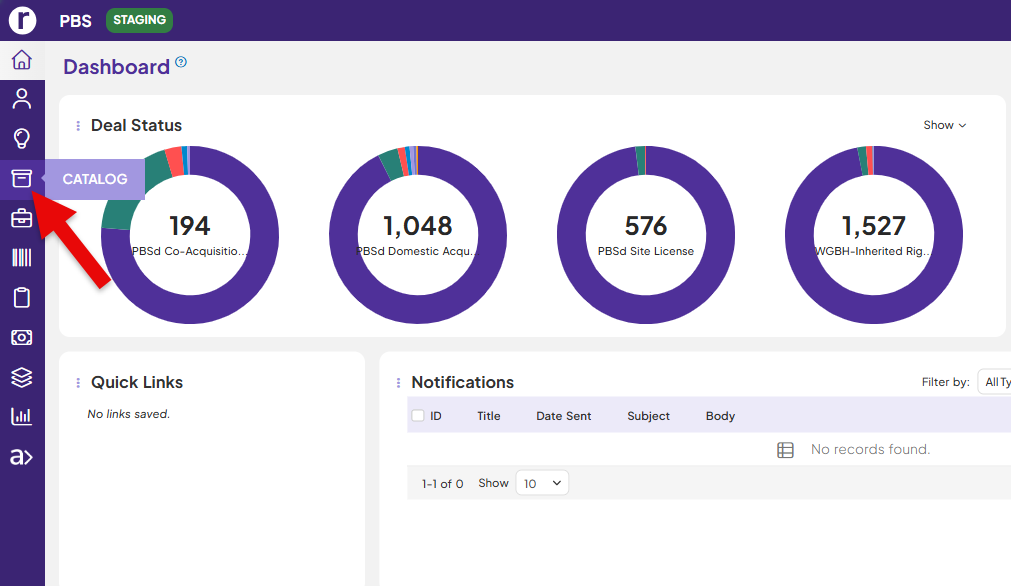 |
| 2. Find the existing season/episode where you have to create composite /stacked episode. |  |
| 3. Now go to the season on the catalog tab . | 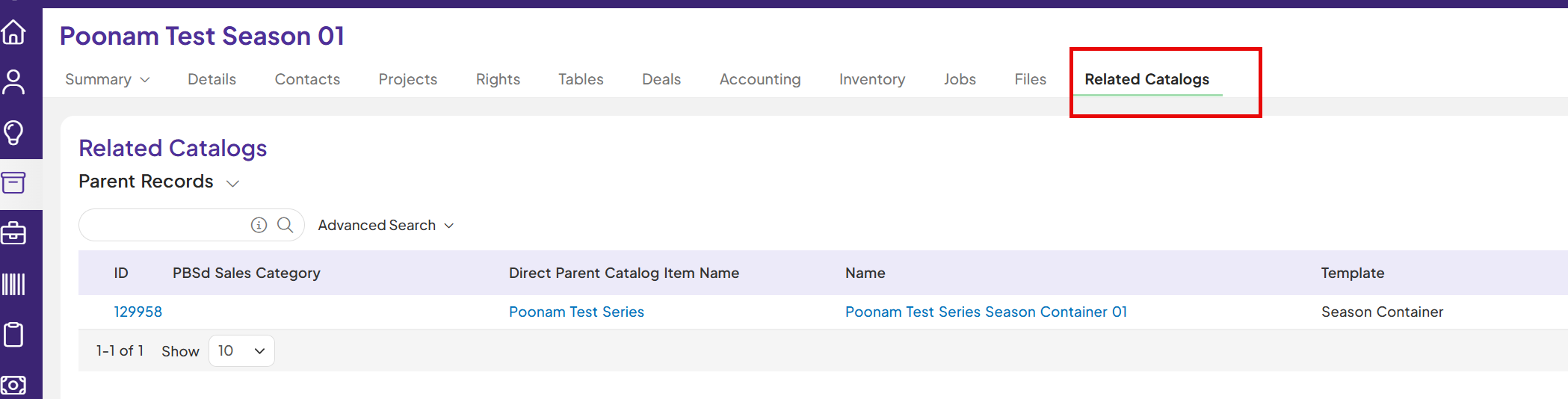 |
| 4. Now go to + season and select create new child record items. Select child template as composite template. | 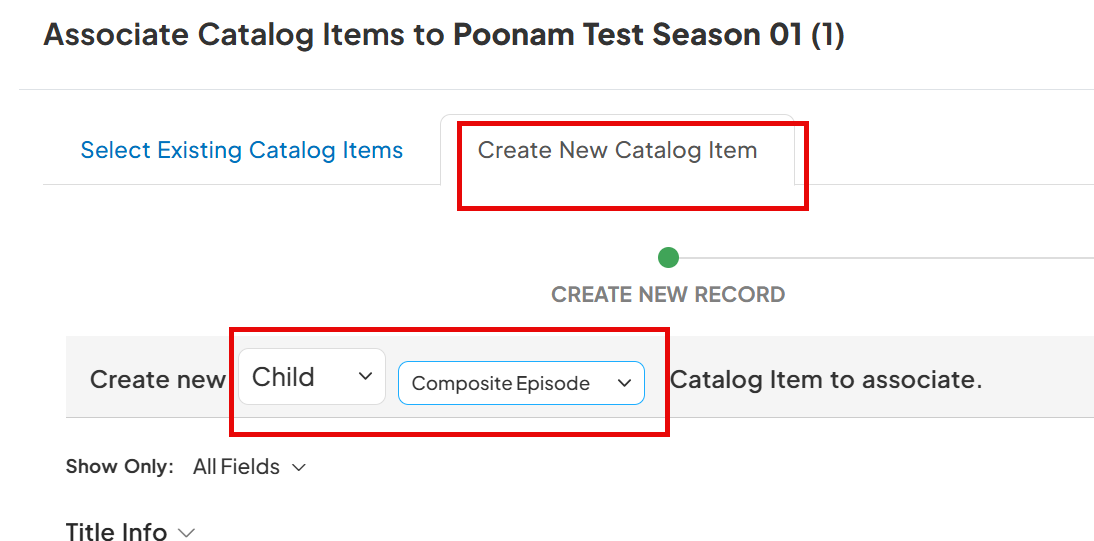 |
| 5. Fill out Required Information for Composite Episode. Click Save. | 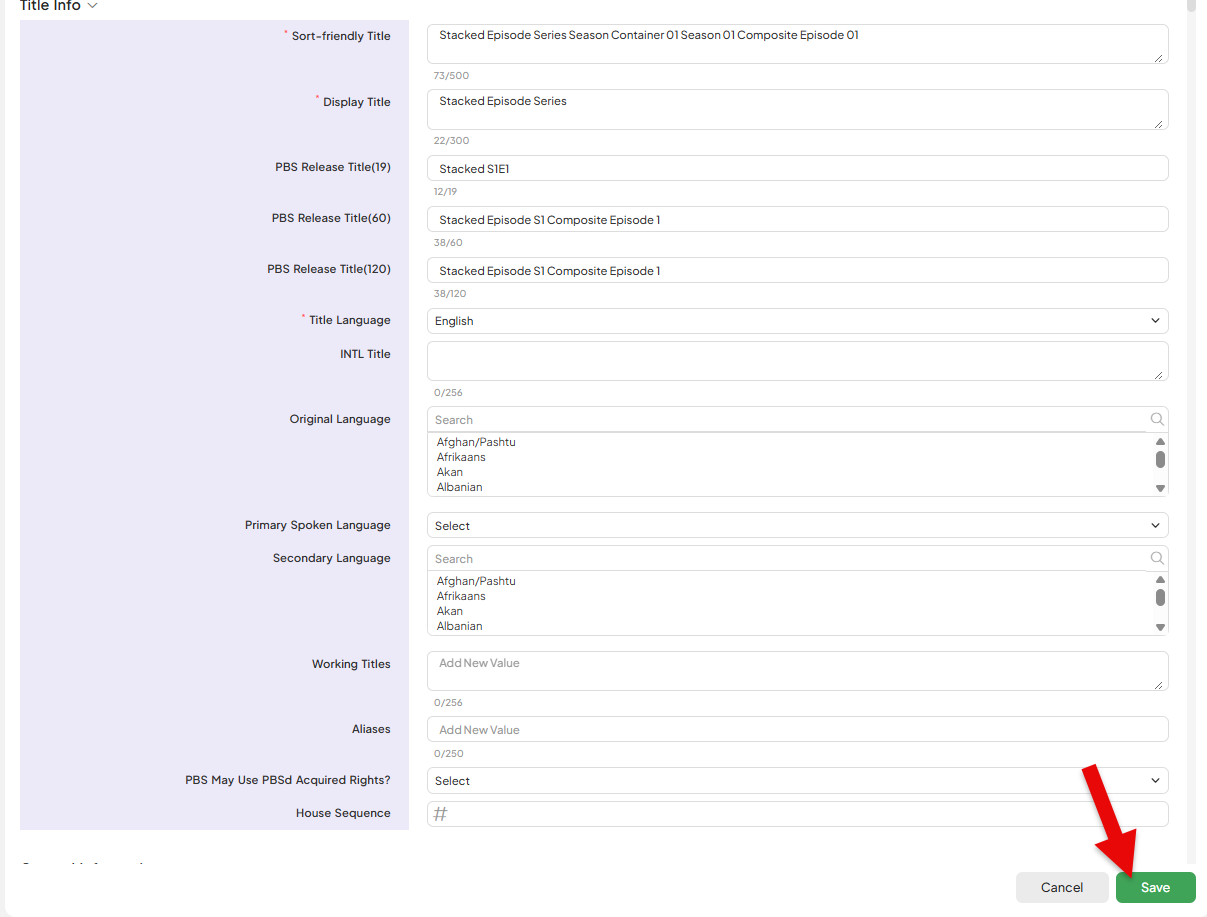 |
| 6. Fill out Required information for all of the children Episodes of Composite episode. Make sure that NOLA Code is filled out with 'Stacked'. Click Save. | 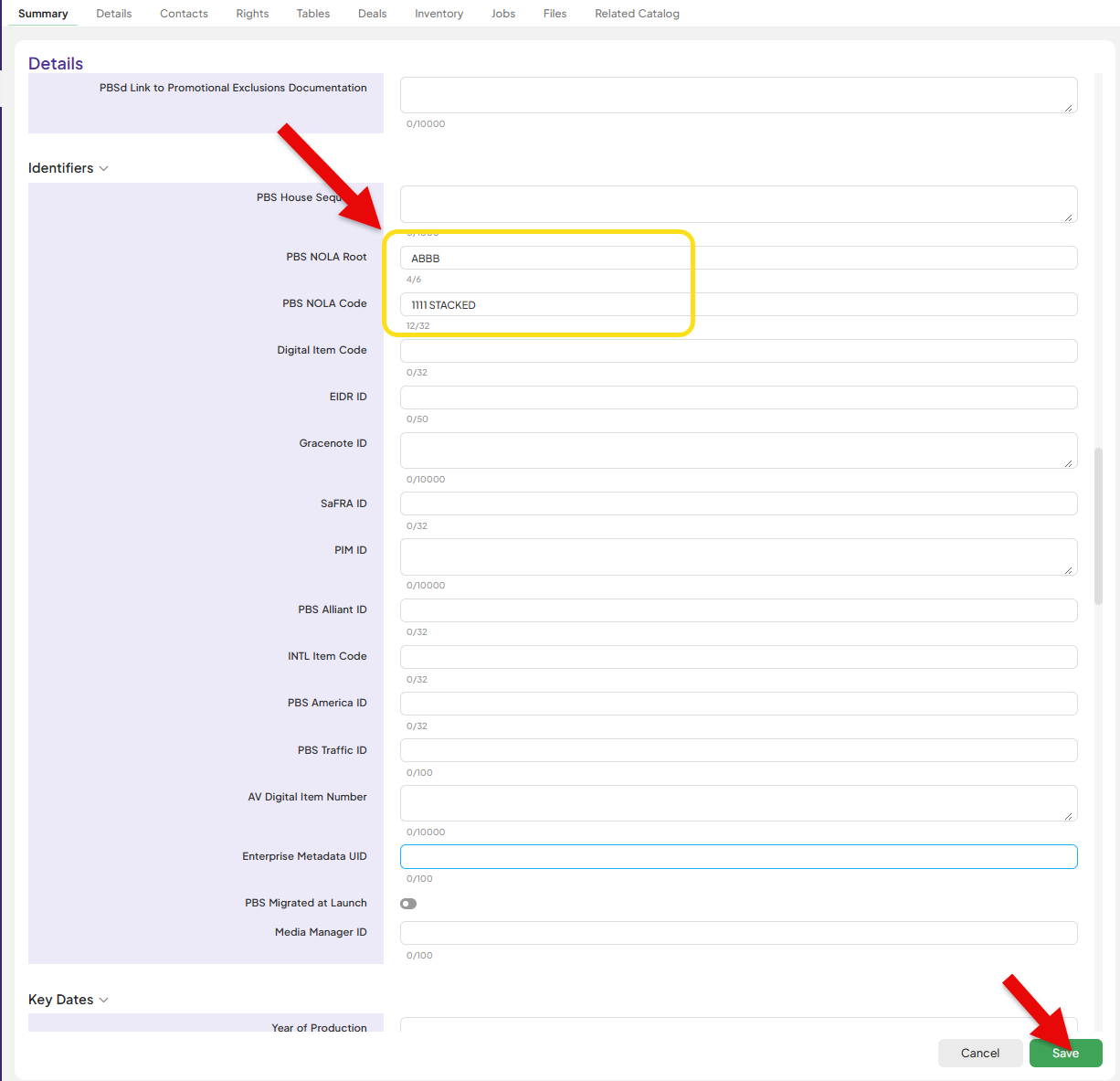 |
| 7. Make sure you select auto create child record and select PBS edit template . |  |
| 8. Fill out PBS Edit of the composite episode. Click Save. | 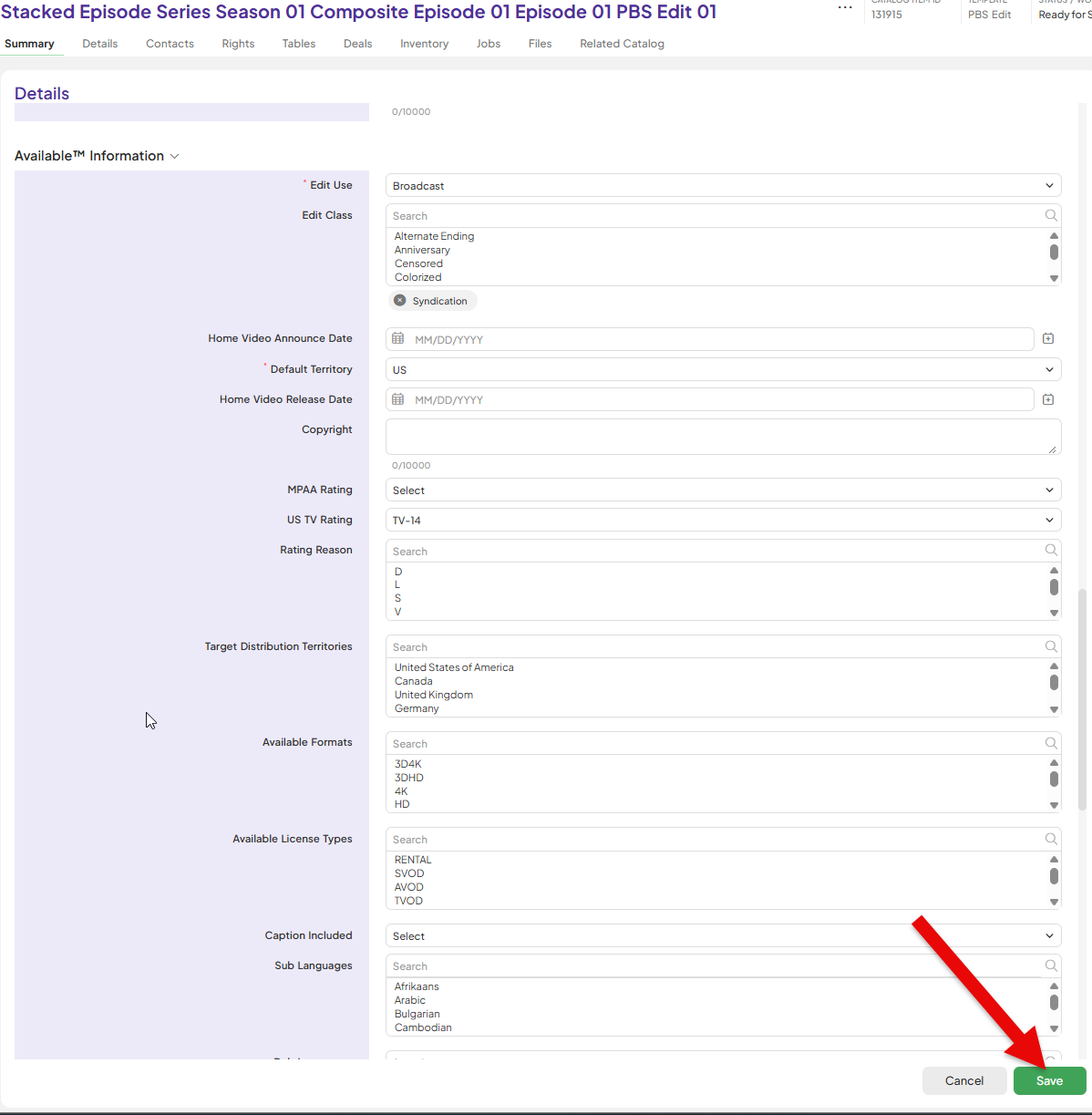 |
| 9. Click on Status on Season. Update to 'Ready for Scheduling.' | 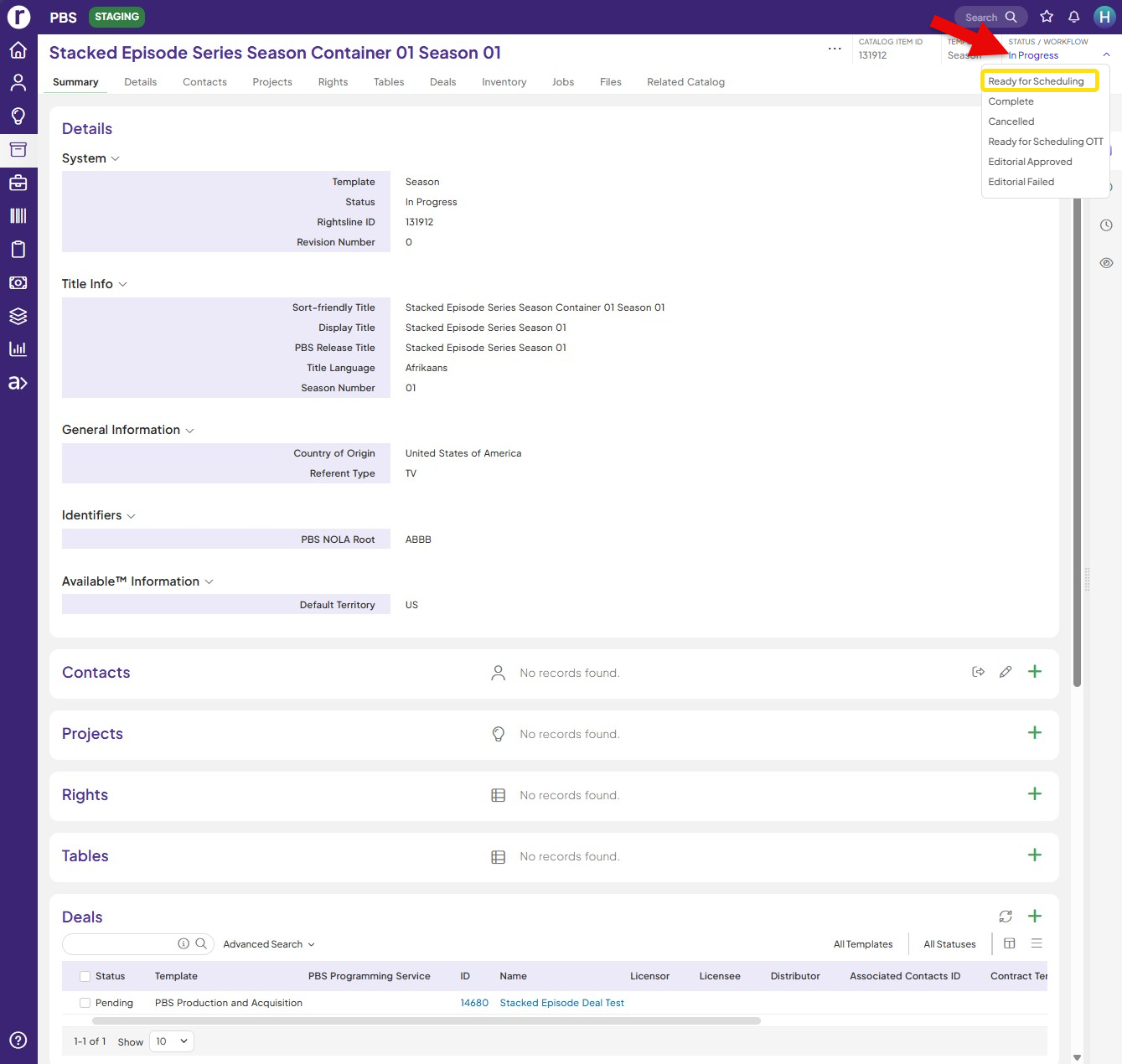 |
| 10. Enterprise Metadata Bank ID and PBS Traffic ID are populated on Catalog Items. | 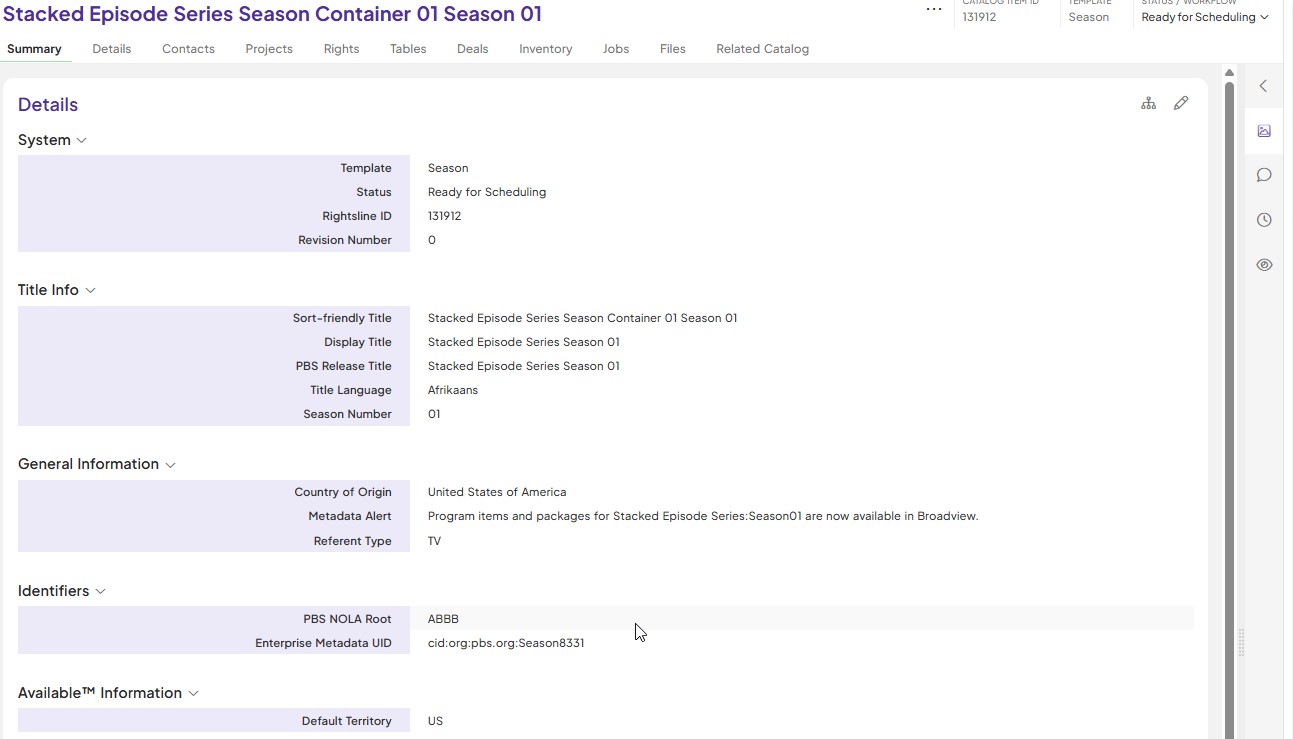 |
| Now go to BV , so BV can consume rights correctly for stacked episode. | |
| 11. Go to BV , open the episode with slate . | 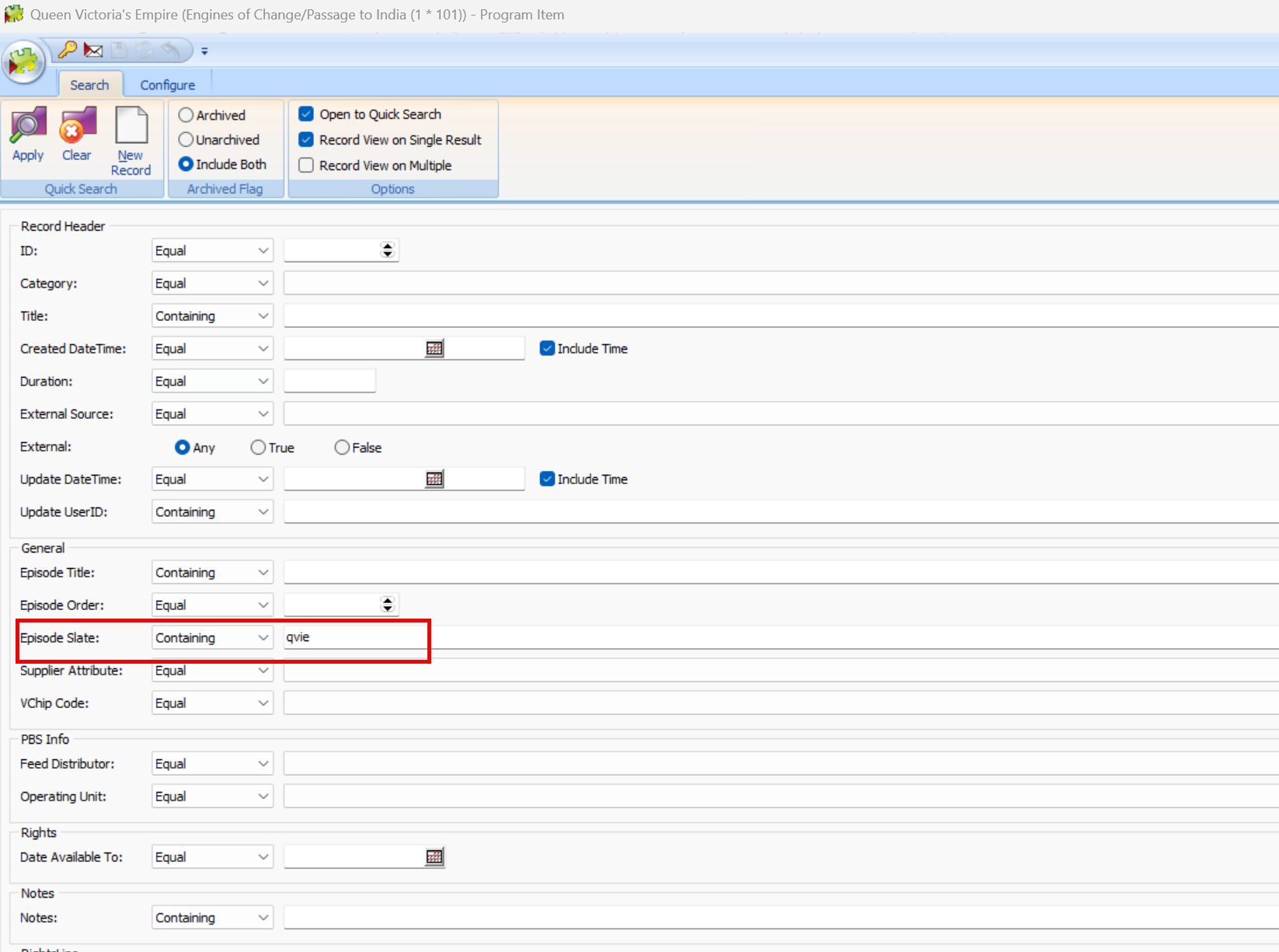 |
| 12. Open 2 program item forms and place next to each other . | 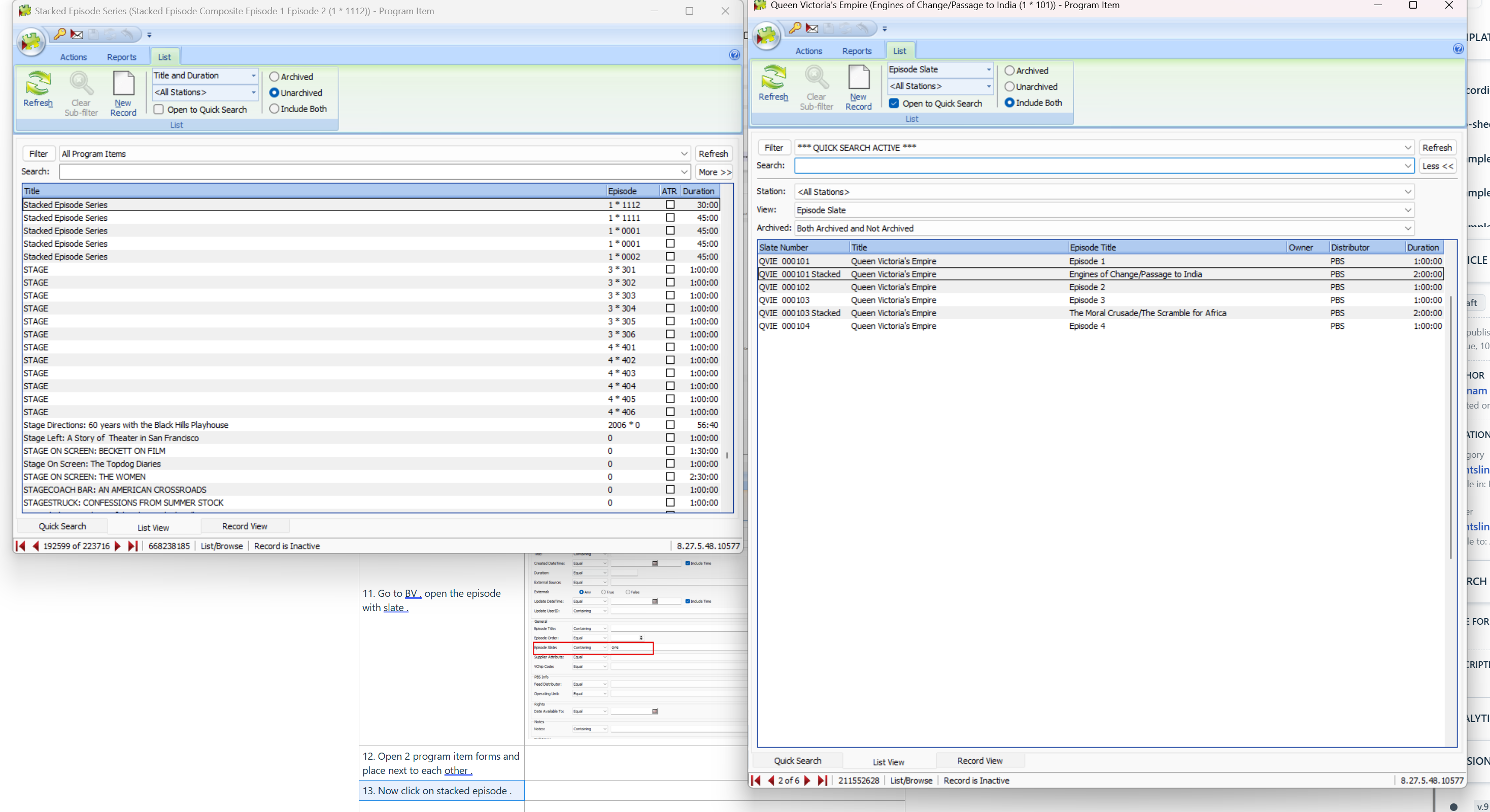 |
| 13. Now click on stacked episode . | 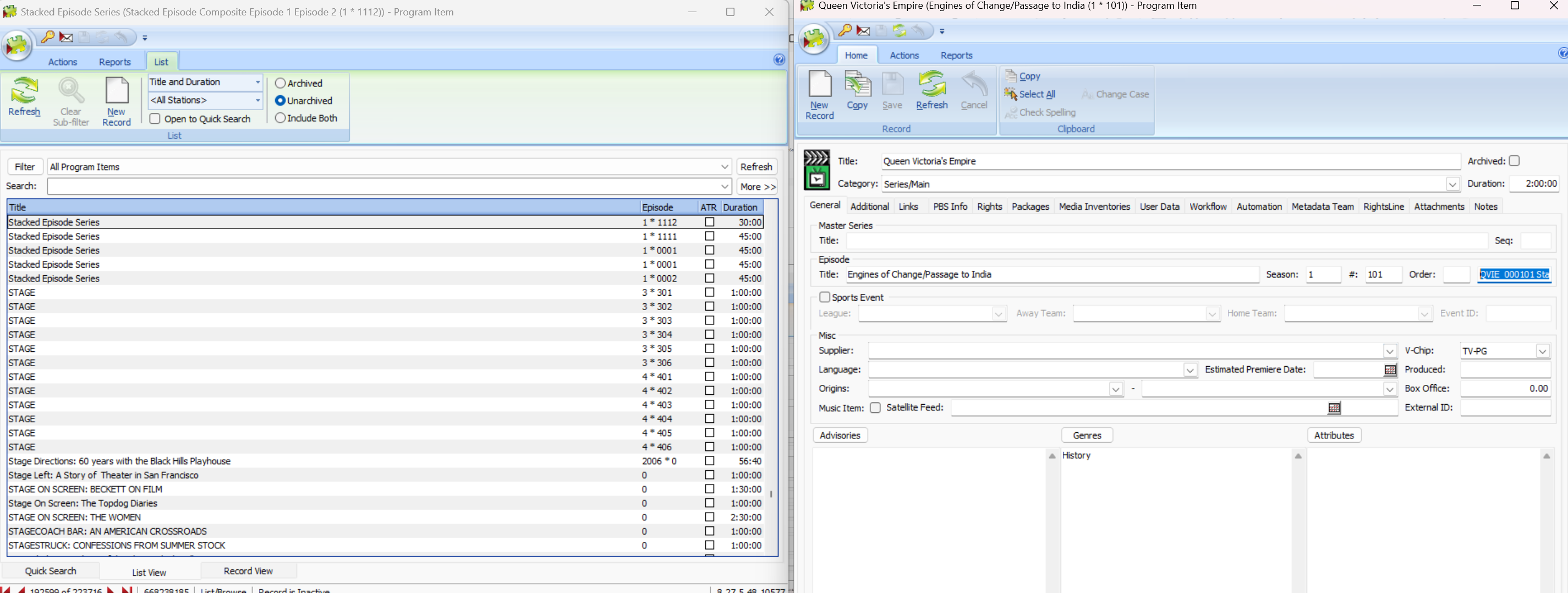 |
| 14. Now navigate to rights tab on stacked episode program item . |  |
| 15. Now associate the episodes like 101 or 102 that the stacked episode is made up of in the rights tab. a. In another program item tab , pull items with that episode slate under the related items section. b. Pull items from the program item tab screen 1 and drag to stacked episode rights tab. | 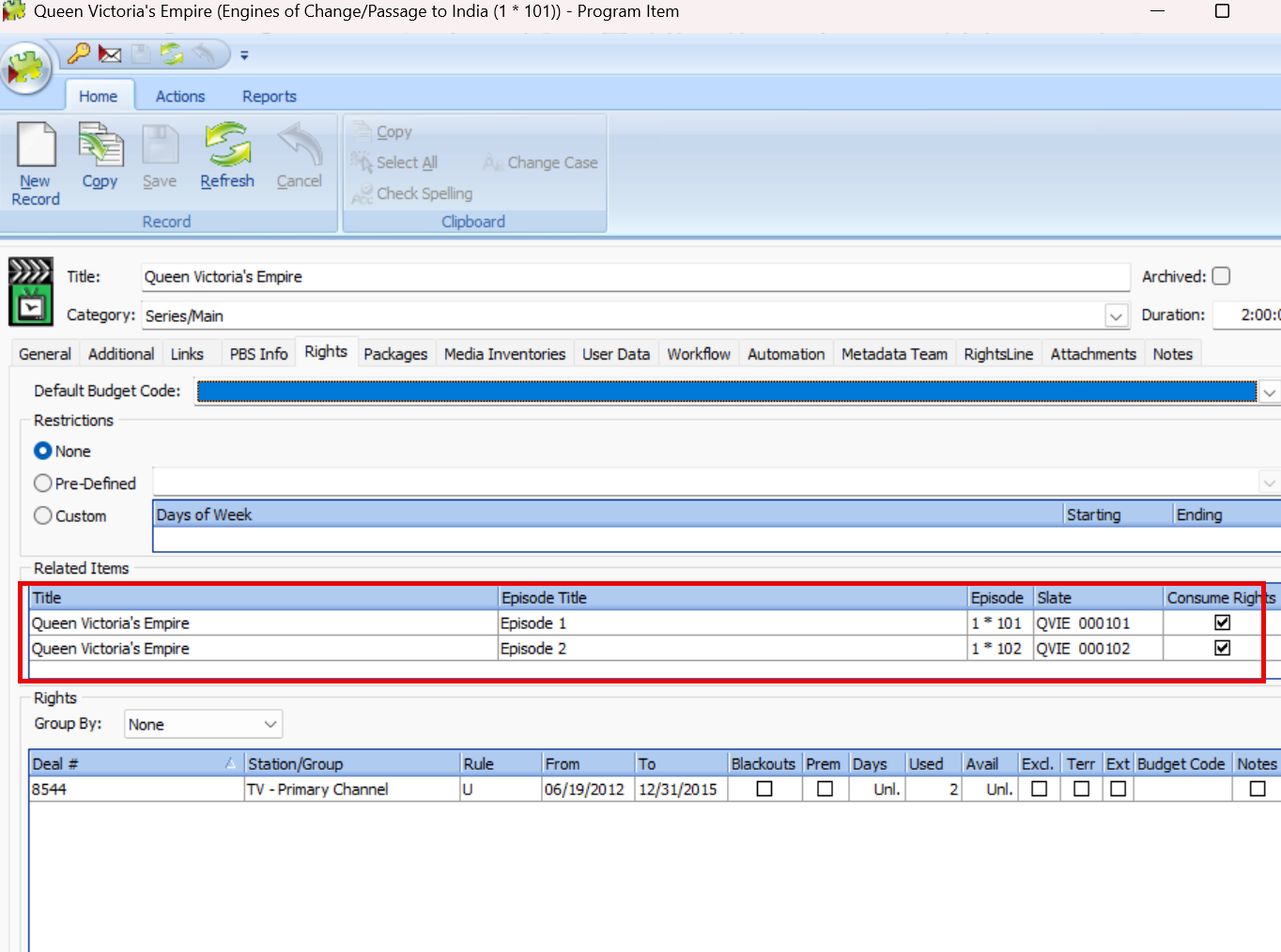 |