Job Aid - Standalone OTO Requiring Parent Record in RL
Modified on: Mon, 13 Apr, 2026 at 2:00 PM
Standalone OTO / Episode Requiring Parent Record in RL
Prerequisites:
- One Time Only record is created with Episode Class = 'Standalone' in RL
- Applicable Distribution Season, Series, or Standalone Series are created in RL
**Note:
When creating a new Standalone Series in Rightsline, use 'Anthology' for 'Series Class'.
Step | Action | Result |
1. User creates One Time Only Record with Episode Class = 'Standalone' | Create One Time Only catalog with Episode Class = 'Standalone' 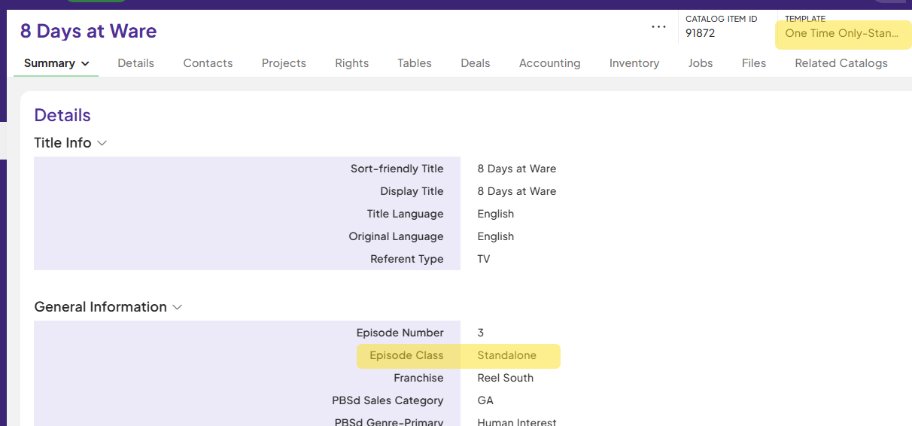 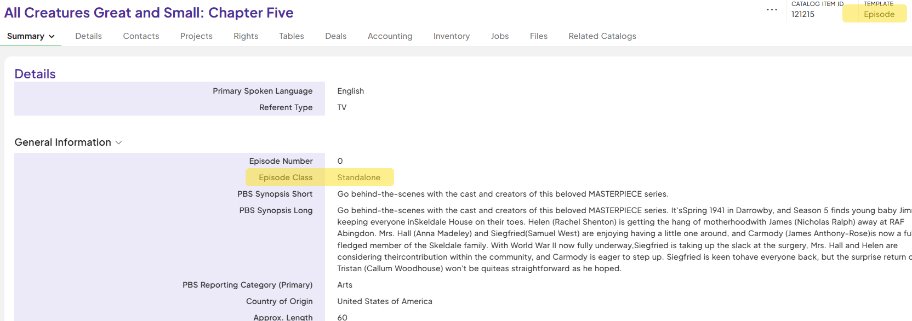 | Standalone OTO is created. |
2. User associates appropriate parent record as follows: - Standalone OTO Parent = Series, Standalone Series, or Distribution Season (**Note: Distribution Season requires Standalone Series as parent record)
| From Related Catalog section, associate appropriate parent record.
 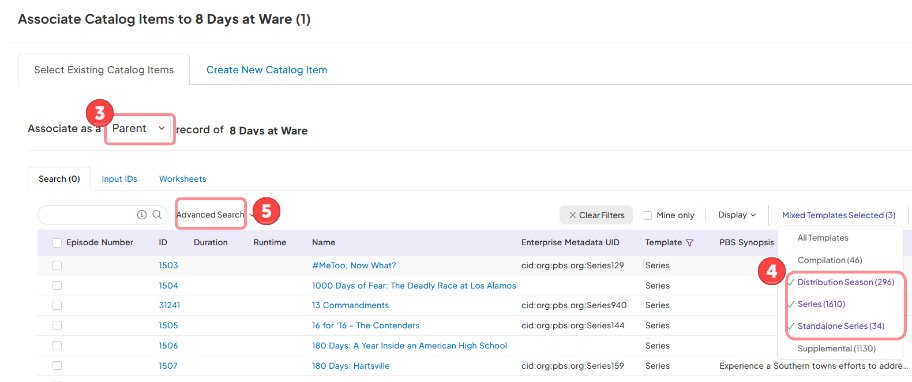 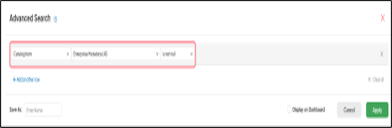
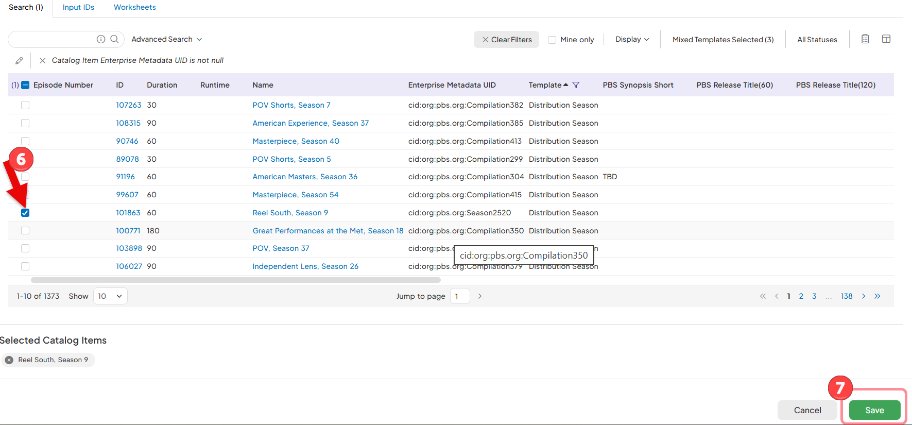 | Parent record is associated to Standalone OTO.
- Standalone OTO Parent = Series, Standalone Series, or Distribution Season (**Note: Distribution Season requires Standalone Series as parent record)
|
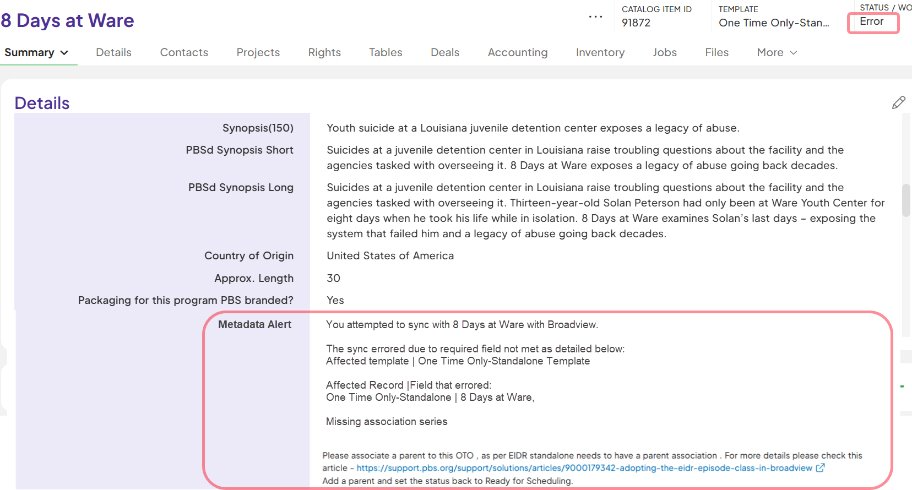
**Note: When there is no parent record associated to Standalone OTO and status is updated to Ready for Scheduling, Metadata Alert is generated and Status is set to Error. Associate correct parent record and update the status to RFS again.
| 
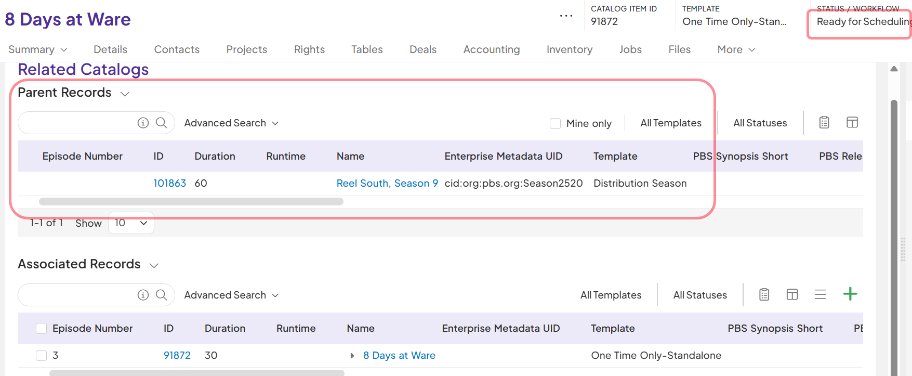 |
|
Did you find it helpful?
Yes
No
Send feedback Sorry we couldn't be helpful. Help us improve this article with your feedback.
