There are four main sections for the rights integration to Mbank-
- Rights Information is entered
- Required fields to be populated
- Season/catalog status is set to “Ready for Scheduling” or “Ready External Publish”
- Rights Status is set to “Active”
Example : CATCH-UP WINDOWS - FVOD: FVOD for 30 days from each Airing.
For this one we will create ‘Rights Subject to Catch Up Windows’ .
30 Days consecutive on each airing .
Step | Action | Result |
- Locate the desired deal template and scroll down to the rights section.
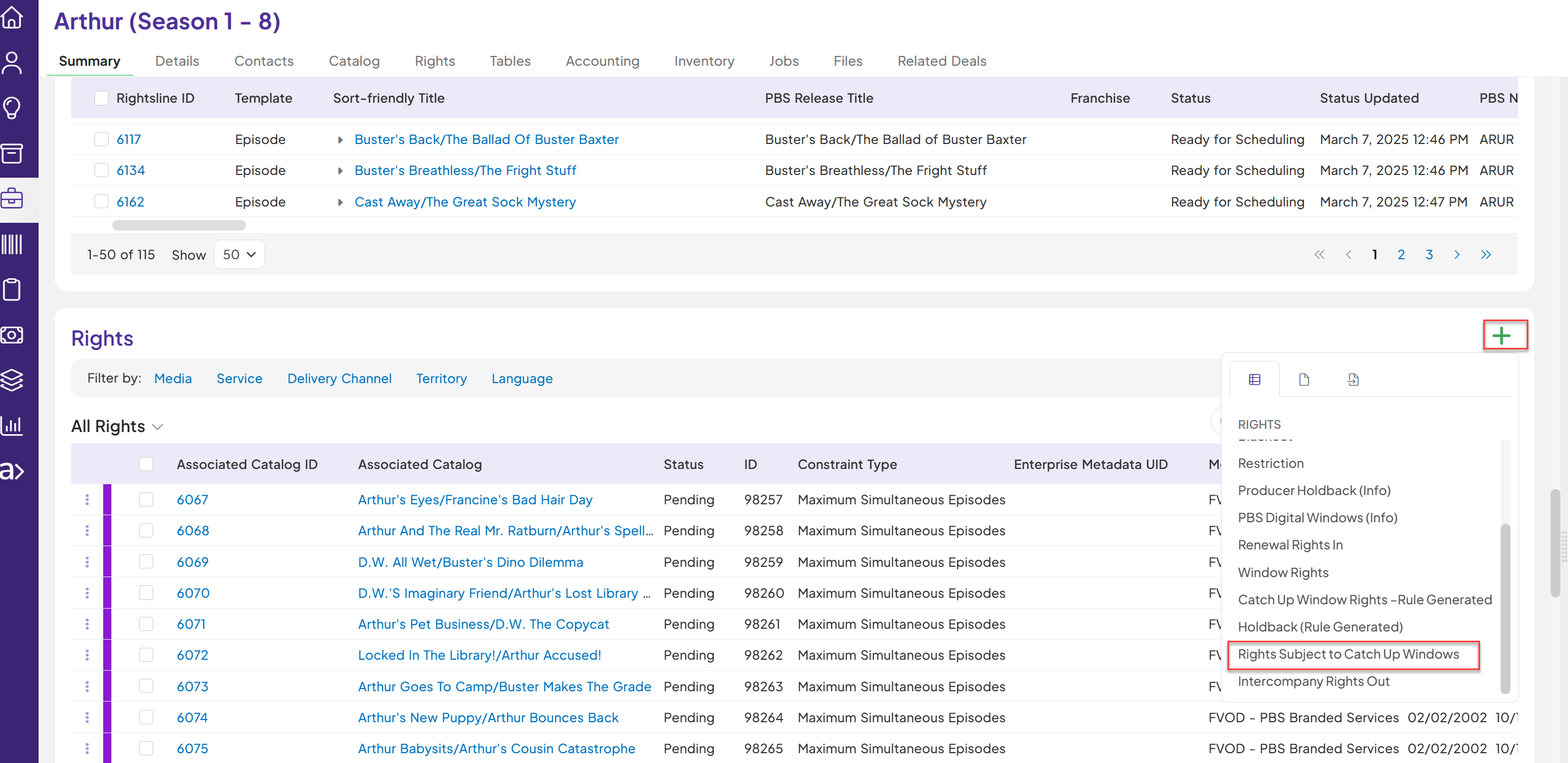
| Search and identify the desired deal template where to create Rights Subject to Catch up windows records. | Desired deal is displayed. |
2. Enter the below required fields on Rights Subject to Catch up windows Records: (based on what you get on the contract)- Select catalog item
- Exclusivity
- Media
- Territory
- Language
- Service
- Type of Play Rule
- Unlimited Releases?
- Number of Airs
- Window Start Duration
- Window Start Time Period
- Window Start Duration Type
- Window Start -Date Trigger
- One Time or Repeat Number
- Window Start Relative Air Date Type
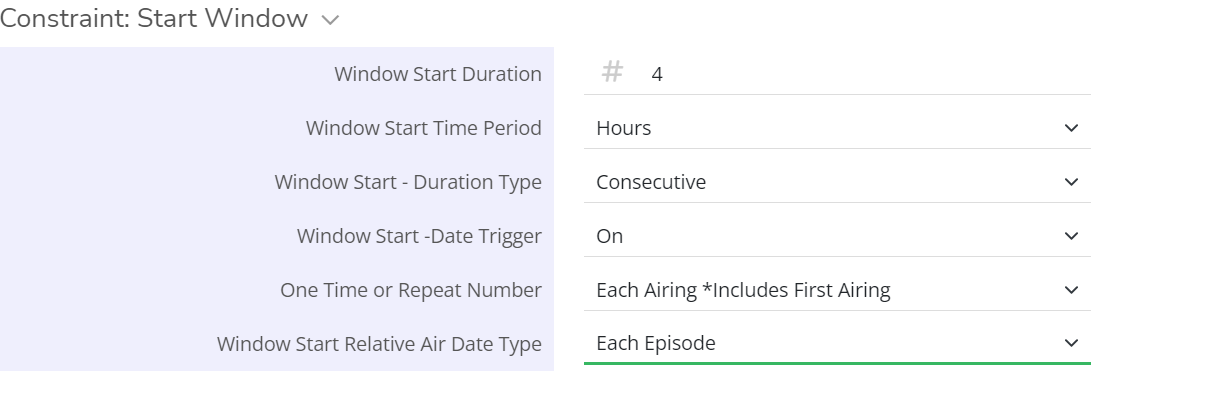
| Type the values in the required fields on Rights Subject to Catch up windows based on the rights you get : - Select catalog item- Associate the catalog which the rights are setup for
- Exclusivity- Exclusive or Non-Exclusive
- Media –
- All Rights
- Television
- Digital Multicast Distribution
- School Off Air Recording
- Territory
- Language
- Service – Select PBS Member Station for PBS rights record
- Type of Play Rule
- Unlimited Releases?
- Number of Airs- It is a conditional Field will be displayed only when unlimited releases field value is "No"
- Window Start Duration - Number of hours or days
- Window Start Time Period - Tell the unit type like hours ,days or months or years
- Window Start Duration Type - Consecutive or Aggregate
- Window Start -Date Trigger
- One Time or Repeat Number - describes the condition like each airing or first airing
- Window Start Relative Air Date Type - each episode or rule end
| The following fields are displayed on the Rights Subject to Catch up windows Record- - Exclusivity
- Media
- Territory
- Language
- Service
- Type of Play Rule
- Unlimited Releases?
- Number of Airs
- Window Start Duration
- Window Start Time Period
- Window Start Duration Type
- Window Start -Date Trigger
- One Time or Repeat Number
- Window Start Relative Air Date Type
|
3.Update the status on the Window Record to “Active”
| Click on the Rights status to update from “Pending” to “Active”.
| Rights Subject to Catch up windows record status is set to Active.
|
| 4. Confirm the Enterprise Metadata UID is populated on Rights Subject to Catch up windows Records. | Rights have enterprise metadata uid populated . | Rights are created in Mbank.
|
