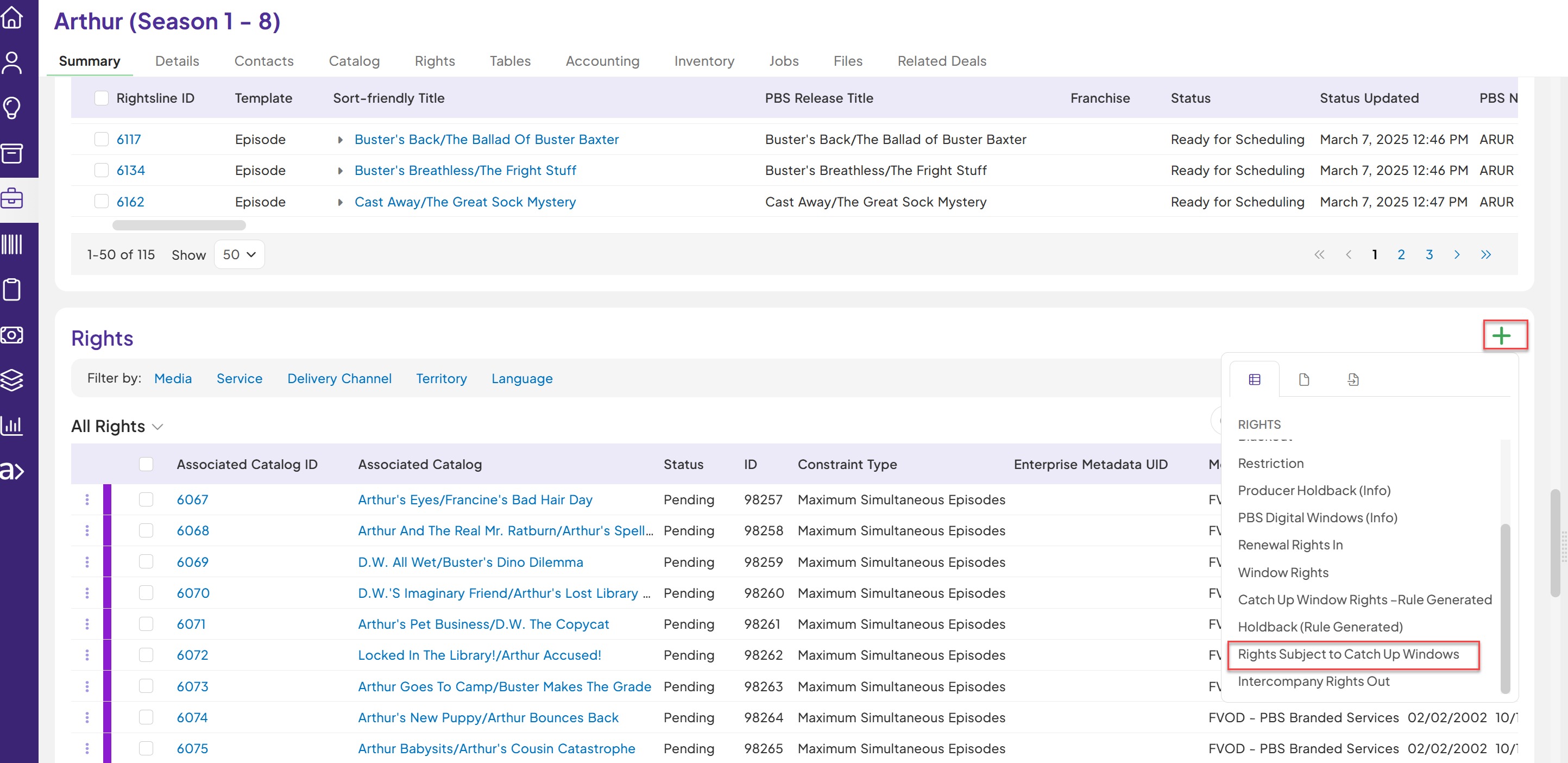
There are four main sections for the rights integration to Mbank-
- Rights Information is entered
- Required fields to be populated
- Season/catalog status is set to “Ready for Scheduling” or “Ready External Publish”
- Rights Status is set to “Active”
Example : SURROUNDING
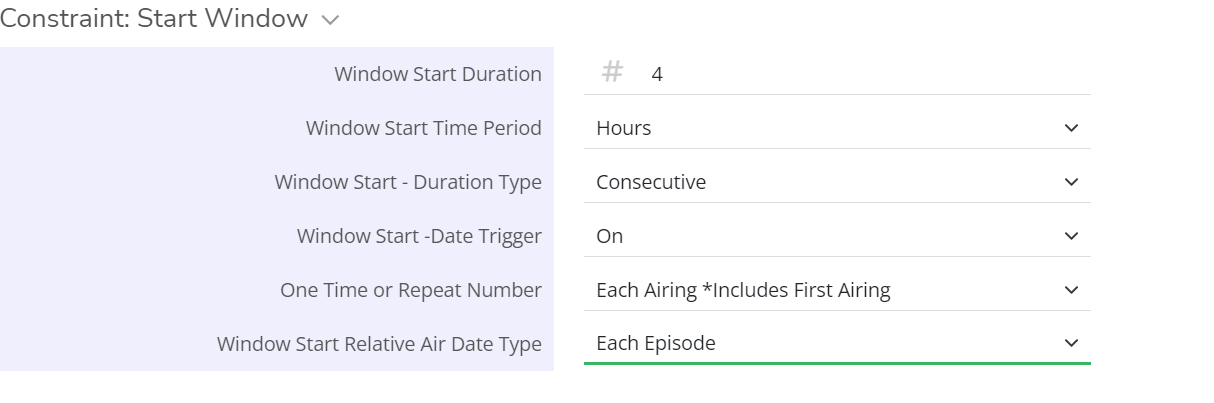
FVOD: For the twelve (12) month period beginning upon the Rights Availability Date, Free VOD Rights limited to a period of thirty (30) days surrounding each national PBS broadcast of each such Accepted Program (i.e., such 30 day period beginning no more than thirty (30) days before such national PBS broadcast and ending no later than thirty (30) days following each such national broadcast).
Beginning twelve (12) months after the Rights Availability Date,
PBS shall only be permitted to exploit such Free VOD Rights for a period of thirty (30) days surrounding one (1) national PBS broadcast of each such Accepted Program per calendar year.
We will create ‘Rights Subject to Catch Up Windows’
1 Rights set – to cover FVOD surrounding each release for 1st year
2 Rights set – to cover FVOD for 1 broadcast next 7 years .
Step | Action | Result |
| Search and identify the desired deal template where to create Rights Subject to Catch up windows records. | Desired deal is displayed. |
2. Enter the below required fields on Rights Subject to Catch up windowsRecords: (based on what you get on the contract)
| Type the values in the required fields on Rights Subject to Catch up windows based on the rights you get :
| The following fields are displayed on the Rights Subject to Catch up windows Record-
|
| 3.Update the status on the Window Record to “Active” | Click on the Rights status to update from “Pending” to “Active”. | Rights Subject to Catch up windows record status is set to Active. |
| 4. Confirm the Enterprise Metadata UID is populated on Rights Subject to Catch up windows Records. | Rights have enterprise metadata uid populated . | Rights are created in Mbank. |